

Moving your business email sounds simple until you are in the middle of it. You are not just copying messages from one place to another. You are moving user identities, calendars, contacts, permissions, DNS records, security settings, and years of archives, and any one of those going wrong can stop people working. That is why the right question is not "which tool moves the mail" but "who owns the whole move and keeps it working afterwards."
Our email migration services are built as a managed process, not a one-off technical project. We assess your current environment, migrate your business safely to Microsoft 365 or Google Workspace, and then keep the new environment secure, supported, and properly run. The core idea is simple: migration gets your email moved, but managed IT keeps it working properly. This page explains what that includes, who needs it, how the process works, what affects the cost, and the risks a managed approach removes.
Why email migration is harder than it looks
On the surface, email migration looks like a data copy. In practice, mail is only the visible tip of the job. Underneath it sit user identities that have to be mapped correctly, calendars and shared calendars that need to keep working, delegated mailbox access that people rely on daily, distribution lists, and archives that may stretch back many years and carry compliance obligations.
Then there is the plumbing. DNS and mail-routing records have to be changed carefully so that mail keeps flowing throughout the transition, and security settings such as SPF, DKIM, and DMARC have to line up so your messages are not suddenly flagged as spam. Get the sequencing wrong and you can lose mail flow, break scheduling, or leave data behind, all of which land on your team as urgent problems at the worst possible time.
None of this is a reason to fear migration. It is the reason to treat it as a managed process with someone clearly accountable, rather than a weekend copy job.
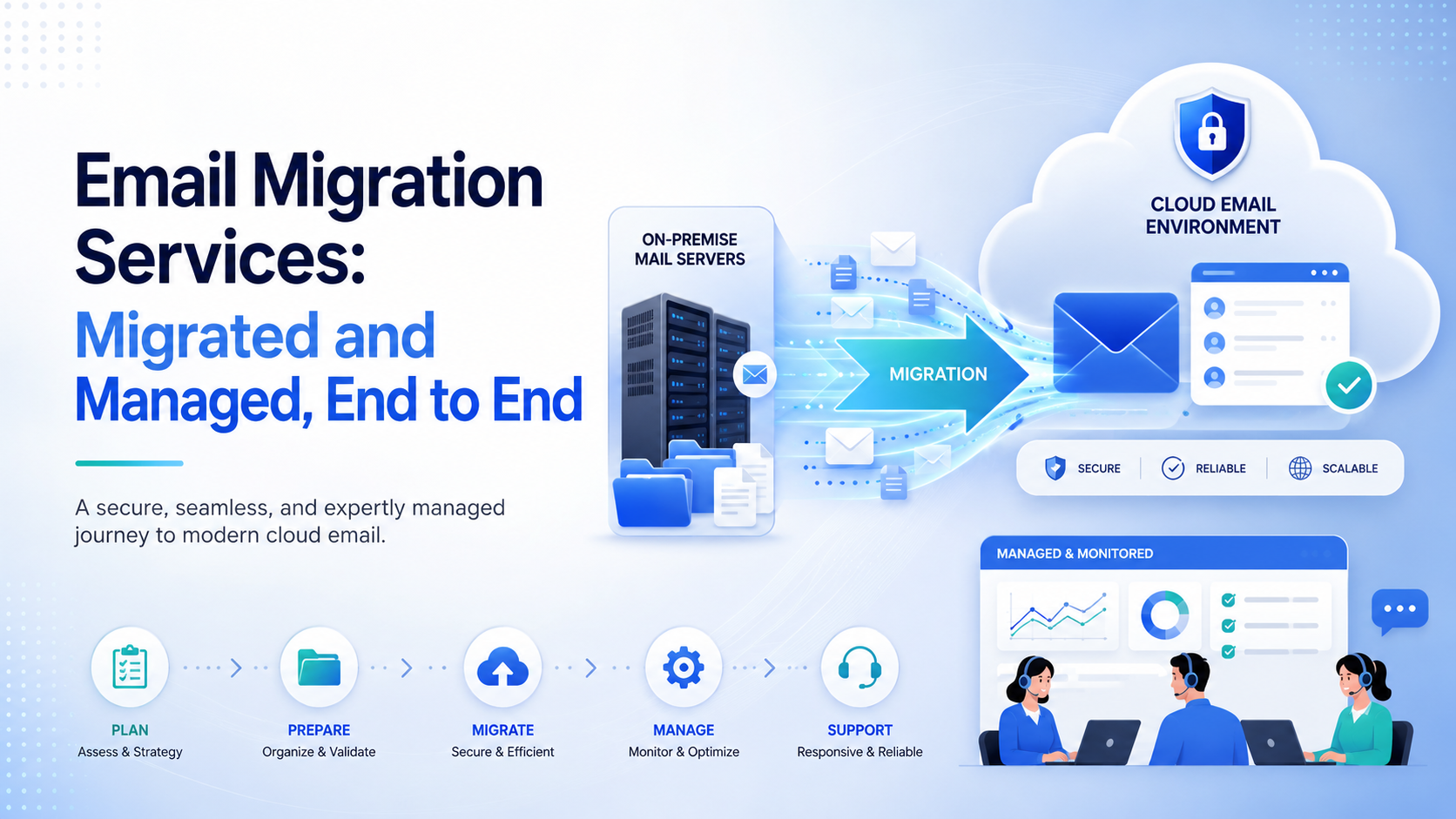
What managed email migration services actually include
A managed email migration is delivered in three connected stages, and the value is in all three, not just the middle one. A lot of providers focus only on the data move. The stages before and after are what determine whether the result actually holds.
Assess
We map your current setup before touching anything. That means cataloguing mailboxes, shared mailboxes, distribution lists, archives, permissions, and any quirks specific to your existing platform. For businesses coming off Lotus Notes or HCL Domino, this is also where we identify the custom applications and workflows hiding behind the inbox, because those often need a separate plan. The assessment is what turns unknowns into a scoped, predictable project instead of a series of surprises.
Migrate
We plan the move, pilot it with a small representative group to validate our assumptions, and then migrate users in waves with minimal disruption. Historical data is pre-staged well ahead of time, and a final delta sync runs at cutover to capture anything created since. That approach shrinks the window where anything is in flux from days down to minutes, so people can keep working through the transition rather than losing access while the bulk of the data moves.
Operate
Once you are live, we secure the new platform, support your people through the change, and manage the environment day to day. This is the stage a pure migration project leaves out entirely, and it is the stage that decides whether the move was worth making. A migrated environment that nobody actively manages slowly drifts back into the same fragile, unsupported state you were trying to leave. Ongoing management is what keeps it secure, current, and useful.
If you are only comparing email migration services on price per mailbox, this is the difference to weigh. A drop-and-leave migration hands the environment back to you the morning after cutover, problems and all. A managed migration keeps someone accountable before, during, and after the move.
Which platforms we migrate from and to
Our managed email migration service supports Lotus Notes, HCL Domino, Microsoft Exchange, and other legacy or on-premises email platforms as source systems. On the destination side we are deliberately platform-agnostic. We migrate business email to Microsoft 365 or Google Workspace, depending on what genuinely fits your company best.
Because we support both destinations, our recommendation is based on how your team actually works, not on whichever product we would prefer to sell. If you already know where you are heading, we plan the move accordingly. If you are still deciding, we help you weigh the two as part of the assessment, looking at how your people collaborate, what still lives in your current system, which applications need replacing, and what you will need to support afterwards. If you are leaving Domino, our Microsoft 365 versus Google Workspace comparison walks through those same factors.
Who needs a managed email migration
You are a strong fit for a managed approach if any of these are true:
- You are moving off a legacy platform such as Lotus Notes, HCL Domino, or on-premises Exchange and are not entirely sure what depends on it.
- Your email runs business-critical work, so downtime or lost data has real and immediate consequences.
- You are handling a tenant-to-tenant move, a merger or acquisition, or a domain change, where the complexity and stakes are higher.
- Your internal team is stretched and cannot absorb a trial-and-error project on top of daily support tickets.
- You need the transition documented and compliant, with archives, retention, and permissions preserved and provable.
- You want the new platform properly managed afterwards, not just stood up and left.
If you have a genuinely tiny, simple, mailbox-only setup and in-house IT with time to spare, a native migration tool may be enough on its own. For most growing businesses, though, the cost of getting a server and email migration services project wrong is higher than the cost of doing it properly the first time. For Lotus Notes and Domino moves, our guide to choosing a migration route weighs doing it yourself against specialist and managed options.
Ready to move safely? Book an assessment with Cortavo.
What affects the cost
Managed email migration is priced against the scope of the work, so it helps to understand the main cost drivers before you ask for a quote:
- Number of mailboxes and shared mailboxes being moved.
- Workload complexity, such as tenant-to-tenant moves, hybrid setups, or coming off a legacy platform like Domino with applications attached.
- Archive volume and how much history must be preserved and made searchable.
- Compliance requirements, including retention policies and legal holds that must survive the move intact.
- The level of ongoing support you want in place once the migration is complete.
Self-service migration costs the price of the software plus a significant amount of your team's time and the risk of rework if something goes wrong. Managed migration is scoped per project, and when a failed migration or a rollback would be expensive for your business, professional planning is usually the most cost-effective route rather than the most expensive one. The most accurate way to get a real figure is a short assessment of your specific environment.
The risks a managed migration removes
The value of a managed approach is easiest to see in the risks it takes off your plate:
- Downtime. Pre-staging and delta syncs shrink the cutover window so people keep working through the change rather than sitting idle.
- Data loss. Structured discovery and verification mean archives, contacts, calendars, and permissions are accounted for and checked, not quietly left behind.
- Security gaps. Multi-factor authentication, access policies, and least-privilege permissions are configured as part of the move, so the new platform is defensible from day one rather than hardened later under pressure.
- Mail flow failures. DNS, MX, SPF, DKIM, and DMARC are handled in the right order to protect your domain reputation and keep messages flowing.
- Being left stranded. Because the migration is delivered as part of a managed IT relationship, you have support before, during, and after cutover, rather than being on your own the moment the project closes.
How a managed migration runs, step by step
For teams that want to see the shape of the work, a managed migration typically follows this sequence:
- Scope the environment. Confirm source and destination, inventory mailboxes, shared mailboxes, archives, large items, and distribution groups, and define exactly what must transfer.
- Run a controlled pilot. Move a small group of non-critical users to validate folder mapping, search, mobile sync, and delegated access, documenting every issue and its fix.
- Pre-stage historical data. Bulk-copy the bulk of the mail well ahead of cutover so the transition window stays short.
- Run delta syncs and freeze changes. Capture everything created since the pre-stage pass, with a short change-freeze so nothing is missed.
- Cut over and align security. Switch mail routing, verify SPF, DKIM, and DMARC, confirm mail flow, and hand users clear guidance.
- Support the post-cutover window. Triage access issues, re-apply delegated permissions, validate retention, and close out with updated documentation.
This is the same disciplined pattern whether you are moving five mailboxes or five hundred. The scale changes, the rigour does not.
Proof: the Mostardi Platt migration
This is not a theory. Mostardi Platt was a classic legacy-IT business running on Domino and carrying real continuity and support risk around a platform that fewer and fewer people could maintain. We started with an assessment rather than a tool, planned the move around business continuity, migrated them to a modern platform, and supported their people through the change so the new environment worked in practice and not just on paper.
The most telling part is what happened next. Mostardi did not simply get their email moved and disappear. They became a long-term managed-services client, which is the clearest possible sign that the migration created a stable, supported environment rather than a fresh set of problems. That is the outcome a managed email migration is designed to produce: not just a completed transfer, but a modern workplace that someone is responsible for running well.
Book an assessment
The next step is simple. Book an assessment so we can understand your current email platform, identify the risks, and recommend the right migration path for your business. Whether you are leaving Lotus Notes, Domino, or Exchange, and whether you are heading to Microsoft 365 or Google Workspace, we will scope it clearly before anything moves. Talk to our team to get started.
Frequently Asked Questions
What is included in email migration services?
A managed email migration covers three connected stages: assessment of your current environment, the migration itself, and ongoing management afterwards. In practice that means discovery of mailboxes, archives, permissions, and any legacy applications; a piloted, phased move with pre-staging and delta syncs to minimise downtime; security setup on the new platform; user support through the change; and a defined post-cutover support window. A tool on its own only handles the data copy. A service covers the planning, accountability, and day-two operation around it, which is where most of the real risk sits.
How much do email migration services cost?
Cost depends on the number of mailboxes, the complexity of the workload, the volume of archives, your compliance requirements, and how much ongoing support you want in place afterwards. Self-service costs the price of software plus your team's time and the risk of rework. Managed migration is scoped per project. If a failed migration or a rollback would be costly for your business, investing in professional planning is typically the cheaper path overall. The most accurate way to get a figure is a short assessment of your environment rather than a generic per-mailbox rate.
Can you migrate from Lotus Notes / HCL Domino?
Yes. Migrating businesses off Lotus Notes and HCL Domino is a core part of what we do, alongside Exchange and other legacy email platforms. These moves need extra care because Domino often sits behind more than email, including archives, shared databases, and custom applications, so we identify all of that during the assessment before planning the migration and the destination environment. Handling the applications and archives properly is what allows the old Domino servers to be switched off for good.
Do you migrate to Microsoft 365 or Google Workspace?
Both. We are platform-agnostic and migrate to whichever destination fits your business best. If you already know where you are heading, we plan the move accordingly. If you are still deciding, we help you weigh Microsoft 365 against Google Workspace based on how your team works, what still lives in your current system, and what you will need afterwards, and then we support the environment once you are live so the decision keeps paying off.
Can you migrate business email with little or no downtime?
In most cases, yes. By pre-staging the bulk of your historical data ahead of time and running incremental delta syncs, the actual cutover window can be reduced from days to minutes. The disruption in a migration rarely comes from copying the messages themselves. It comes from identity sync, client reconfiguration, and DNS cutover, which is exactly why sequencing those steps carefully, as part of a managed process, is what protects your uptime.
Is an IMAP or manual migration good enough for a business?
Usually not. Basic IMAP and manual transfers only move raw email messages and folders. They typically drop calendars, contacts, delegated permissions, and collaboration data, and they carry a high failure risk with no audit trail if something disappears. They can be acceptable for very small, non-critical, mail-only situations, but for a modern business that relies on shared calendars, delegated access, and compliance, they are the wrong tool. If downtime or lost data would hurt, a managed migration is the safer and ultimately cheaper choice. For Lotus Notes mail, our guide to NSF to PST export compares IMAP, migration software and a managed service.