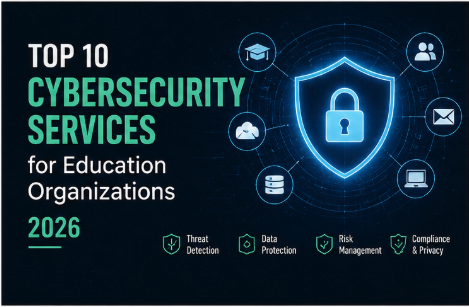
The education sector is facing a rise in sophisticated ransomware attacks, making the search for reliable cybersecurity services for education organizations more pressing than ever. For school district board members and educational technology directors, the challenge is not limited to blocking hackers. It involves maintaining a learning environment that is safe, compliant, and consistently available. Many institutions are trapped in a cycle of unpredictable technology costs, often described as "bill shock," where every security incident creates a new invoice and every hardware refresh requires a large capital expenditure (CAPEX).
At Cortavo, we take a different approach by removing the burden of IT so educators can focus entirely on student outcomes. By shifting to a stable operating expenditure (OPEX) model, schools can reduce the operational drag caused by disconnected, unmanaged systems and replace it with a "Turnkey IT Department" that treats technology like a reliable utility.
This guide evaluates the top-rated security solutions for 2026, focusing on how they address the unique demands of the education sector. Whether you are a small private school with no dedicated IT staff or a large university seeking cybersecurity services for higher education to support an overworked internal team, these solutions are designed to provide enterprise-grade protection without the enterprise price tag.
Top 10 Cybersecurity Services for Education Organizations
1. Cortavo

Alt text: The logo of Cortavo.
Cortavo provides an all-inclusive, turnkey IT department model specifically engineered for maturing organizations, including K-12 schools and higher education institutions. Unlike traditional providers that operate on billable hours, Cortavo operates on a flat-fee subscription, moving IT from a capital-heavy burden to a predictable monthly cost. Their "Techtility" framework treats technology like water or power—it should just work. For education organizations that already have an IT Director but lack "bench depth," Cortavo offers a co-managed model. This allows the internal team to offload the "noise" of help desk tickets and security patching, freeing them to focus on high-value strategic initiatives like classroom technology integration.
Key Features:
- Techtility™ All-In Tier: Includes Hardware-as-a-Service (HaaS) for faculty laptops and desktops, ensuring no one is left working on outdated, vulnerable equipment.
- Co-Managed IT: Acts as a force multiplier for internal school IT teams, handling the repetitive maintenance and security monitoring.
- Zero-Latency Hardware: Powered by a massive in-house inventory, Cortavo offers 5-day deployment of pre-configured, enterprise-grade equipment.
- Flat-Fee Pricing: Predictable monthly costs with no hidden "out of scope" charges for security updates.
- Dedicated Account Management: Direct access to a partner who takes "Ownership Over Excuses" for your school’s uptime.
Pros:
- Eliminates unpredictable technology costs and hardware refresh cycles.
- Reduces internal staff burnout by offloading Tier 1 and Tier 2 support.
- Enterprise-grade security infrastructure without the enterprise price tag.
- Rapid onboarding and offboarding for high-turnover staffing needs.
Cons:
- Not available for government-contracted agencies.
- Standardized stack may require adjustment for highly specialized legacy OT.
Best For: Maturing K-12 districts and higher education institutions looking for a predictable, all-inclusive IT partner.
Learn more about Cortavo’s All-Inclusive IT
2. Coro
Coro offers an all-in-one cybersecurity platform designed to protect mid-market organizations and educational institutions from a single dashboard. It focuses heavily on automated remediation, which is a game-changer for schools with limited IT bandwidth. The platform covers email security, data loss prevention (DLP), and endpoint protection, specifically targeting the vulnerabilities common in higher education environments where thousands of diverse users access the network daily.
Key Features:
- Automated threat remediation to reduce manual IT workload.
- Unified dashboard for email, cloud apps, and endpoint security.
- Education-specific compliance mapping for data privacy.
Pros:
- Simplifies the security stack by consolidating multiple tools.
- Strong focus on automated responses to common threats.
- User-friendly interface for non-security specialists.
Cons:
- Introductory rates can increase significantly upon renewal.
- May lack the depth of specialized "best-of-breed" standalone tools.
Best For: Schools needing a consolidated, automated platform to manage multiple security vectors.
3. CrowdStrike Falcon
CrowdStrike Falcon is a cloud-native endpoint protection platform that leverages artificial intelligence and real-time indicators of attack. For higher education, it provides much-needed visibility across sprawling campus networks, protecting research data and student records. It is designed to replace legacy antivirus solutions with a single, lightweight agent that does not impact the performance of faculty devices, which is critical for maintaining productivity.
Key Features:
- AI-powered threat hunting and detection.
- Single-agent architecture for minimal device performance impact.
- Overwatch managed threat hunting services for 24/7 coverage.
Pros:
- Highly rated for threat detection and response speed.
- Consolidates multiple security functions into one agent.
- Scales easily across large university environments.
Cons:
- Pricing can be complex and varies widely by institution size.
- Customization can be limited when purchasing through certain resellers.
Best For: Large higher education institutions requiring enterprise-grade threat detection.
4. SentinelOne

SentinelOne utilizes an AI-driven approach to endpoint security, offering autonomous protection that can roll back unauthorized changes. This is particularly valuable for cybersecurity services for education because students might accidentally download malicious software or click on phishing links. The platform is designed to reduce the volume of security-related IT tickets by resolving threats at the edge before they escalate into full-blown breaches.
Key Features:
- Singularity XDR for cross-platform visibility.
- One-click remediation and rollback capabilities.
- Autonomous AI that functions without a constant cloud connection.
Pros:
- Reported 80% reduction in security-related IT tickets.
- Effective against zero-day attacks and ransomware.
- Easy to deploy across diverse hardware types.
Cons:
- Requires initial training for staff to use advanced features effectively.
- Can be more expensive than basic antivirus alternatives.
Best For: District IT directors looking to automate threat response and reduce help desk volume.
5. KnowBe4
KnowBe4 focuses on the "human firewall" by providing security awareness training and simulated phishing platforms. In the education sector, where faculty and students are often the primary targets of social engineering, KnowBe4 provides the tools to educate users on identifying suspicious emails and protecting sensitive data like student records. It is one of the top rated cybersecurity services for education for behavioral change.
Key Features:
- Extensive library of security awareness training content.
- Automated phishing simulations to test user readiness.
- Compliance training modules for FERPA and HIPAA.
Pros:
- Largest content library in the industry.
- Highly effective at reducing successful phishing attempts.
- Easy to track and report on user progress for compliance.
Cons:
- Pricing structure can be complex with multiple tiers.
- Some older content may feel dated to younger students.
Best For: Educational organizations aiming to reduce risk through user education and behavioral change.
6. Cisco Umbrella
Cisco Umbrella provides a cloud-delivered security service that acts as a first line of defense against threats on the internet. By using DNS-layer security, it blocks requests to malicious domains before a connection is even established. This is ideal for K-12 schools that need to filter content and protect students across both on-campus and remote learning environments, ensuring CIPA compliance.
Key Features:
- DNS-layer security to block threats at the source.
- Secure Web Gateway and Cloud-Delivered Firewall.
- Integration with existing Cisco networking hardware.
Pros:
- Protects devices even when they are off the school network.
- Very fast deployment with no hardware to install.
- Provides excellent visibility into internet usage patterns.
Cons:
- Advanced features require higher-tier licensing.
- Can occasionally block legitimate educational resources if not tuned correctly.
Best For: School districts requiring robust content filtering and DNS-level protection for remote students.
7. Palo Alto Networks

Palo Alto Networks offers a comprehensive security platform that includes next-generation firewalls (NGFW) and cloud security. For large universities, their solutions provide the high-throughput performance needed to secure research networks and data centers while maintaining open access for students and faculty. This is a heavyweight option in the cybersecurity services for education industry.
Key Features:
- App-ID technology to identify and control applications on the network.
- Prisma Access for secure remote access (SASE).
- WildFire cloud-based threat analysis.
Pros:
- Industry-leading firewall performance and security features.
- Comprehensive visibility across the entire network fabric.
- Strong support for complex, multi-campus environments.
Cons:
- High total cost of ownership (TCO) compared to mid-market solutions.
- Requires a high level of technical expertise to manage.
Best For: Large-scale higher education institutions with complex infrastructure and high security requirements.
8. Fortinet
Fortinet’s Security Fabric provides an integrated approach to security, connecting networking and security across the entire school district. Their FortiGate firewalls are widely used in K-12 for their ability to combine high-performance networking with advanced security features like web filtering and intrusion prevention in a single appliance.
Key Features:
- FortiGate Next-Generation Firewalls.
- Integrated secure Wi-Fi and switching.
- Centralized management through FortiManager.
Pros:
- Excellent price-to-performance ratio.
- Broad portfolio covering networking, security, and access.
- Strong focus on K-12 specific needs like CIPA compliance.
Cons:
- The interface can be complex for beginners.
- Firmware updates sometimes require careful testing to avoid configuration issues.
Best For: K-12 districts looking for an integrated networking and security solution.
9. Sophos
Sophos provides a synchronized security approach where the endpoint and the firewall communicate to automatically isolate infected devices. For schools with limited IT staff, their Managed Detection and Response (MDR) service provides 24/7 threat hunting and incident response, acting as an extension of the school's IT team to ensure nothing slips through the cracks.
Key Features:
- Intercept X endpoint protection with anti-ransomware.
- Sophos Central unified management console.
- 24/7 Managed Detection and Response (MDR) services.
Pros:
- Synchronized security automates threat isolation.
- MDR service is excellent for schools without a SOC.
- Simple, intuitive management interface.
Cons:
- Endpoint agent can be resource-intensive on older hardware.
- Full benefits require using both Sophos endpoints and firewalls.
Best For: Small to mid-sized schools needing 24/7 security monitoring without hiring internal experts.
10. Proofpoint
Proofpoint specializes in protecting the number one threat vector in education: email. Their solutions focus on preventing phishing, business email compromise (BEC), and data loss. For higher education, Proofpoint helps protect intellectual property and research by securing communication channels and identifying "Very Attacked People" (VAPs) within the institution.
Key Features:
- Advanced Email Security and threat protection.
- Information Protection and Data Loss Prevention (DLP).
- Targeted Attack Protection (TAP) to identify high-risk users.
Pros:
- Best-in-class email filtering and threat detection.
- Strong focus on protecting sensitive research and student data.
- Excellent visibility into who is being targeted by attackers.
Cons:
- Can be expensive for smaller K-12 districts.
- Primarily focused on email, requiring other tools for full security.
Best For: Universities and large districts prioritizing email security and data loss prevention.
Buying Guide: Choosing the Right Security Partner for Your School
Selecting cybersecurity services for education organizations requires a deep understanding of the unique constraints of the sector. Unlike corporate environments, schools operate with high user turnover, diverse device types, and strict regulatory requirements. To make the right choice, you must first identify which "IT Profile" your organization fits into.
The "Limited IT" Profile
Many schools fall into the "Limited IT" category. You might have an IT Manager or Director who is highly capable but completely overwhelmed by the "noise" of daily operations. They spend their time resetting passwords and fixing printers instead of building a Strategic IT roadmap. For these organizations, a "Co-Managed IT" model is the ideal solution. It provides the "bench depth" needed to handle security patching and help desk support, allowing your internal leader to focus on student-facing innovation.
CAPEX vs. OPEX: The Financial Shift
Traditional IT involves heavy CAPEX—buying servers, firewalls, and hundreds of laptops upfront. This leads to "bill shock" when equipment fails or needs a refresh. Modern educational institutions are moving toward an OPEX model, like Cortavo’s Techtility framework. By paying a flat monthly fee that includes hardware, software, and support, you gain predictable budgeting and ensure that your security stack is always current. This is especially helpful for managed IT services in Cotati for small local businesses and professional services that need to scale without massive upfront costs.
Compliance and Radical Transparency
Compliance with FERPA, CIPA, and GLBA is non-negotiable. When evaluating providers, look for "Radical Transparency." You need a partner who provides clear reporting and takes "Ownership Over Excuses." Avoid providers with complex "out of scope" clauses that lead to unexpected bills for basic security tasks. Your provider should act as a utility—reliable, transparent, and essential to your daily operations.
Finally, consider the geographic advantage. Having IT services Woodstock GA or local support in your region ensures that if a physical hardware failure occurs, a technician can be onsite quickly to resolve the issue, minimizing downtime for students and faculty.
Conclusion: Securing the Future of Learning
Cybersecurity in education is no longer an optional add-on; it is a fundamental utility, as essential as water or power. The best cybersecurity services for education organizations are those that remove the operational drag from educators, allowing them to focus on what matters most: the students. By choosing a partner that offers predictable pricing, enterprise-grade security, and a commitment to "Ownership Over Excuses," you can defend your institution against modern threats while stabilizing your budget. Don't let unpredictable IT costs and security gaps hinder your school's growth. Defend Your Student and Faculty Data with Expert Cybersecurity Today!
Frequently Asked Questions
How do we ensure compliance with FERPA and GDPR?
Compliance is a shared responsibility between the school and the service provider. You should choose a provider that offers a standardized security stack, regular auditing, and end-to-end data encryption. All-inclusive providers often include compliance-ready infrastructure as part of their flat fee, making it easier to pass audits without additional costs.
What should we prioritize in our cybersecurity strategy?
Start with the "human firewall" through security awareness training and implement robust endpoint protection. For most schools, the biggest win is moving to a managed or co-managed model. This ensures that critical tasks like patching and 24/7 monitoring happen consistently without burning out your internal staff.
How can we avoid "bill shock" when hiring an IT provider?
The best way to avoid bill shock is to look for "All-Inclusive" models that cover hardware, software, and support in one flat monthly fee. Be wary of providers that charge by the hour or have long lists of "out of scope" services, as these are the primary sources of unexpected costs in educational IT budgets.