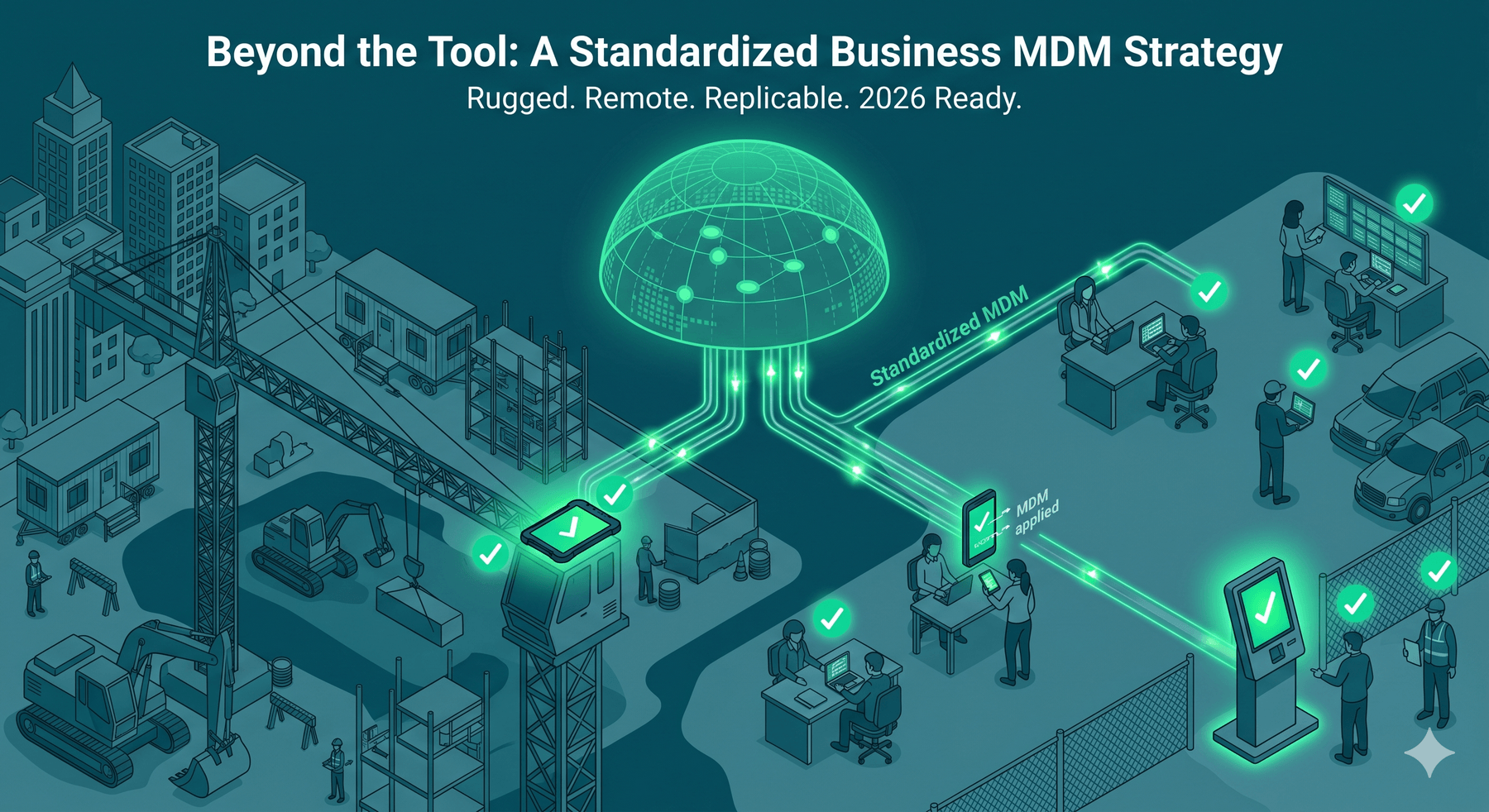
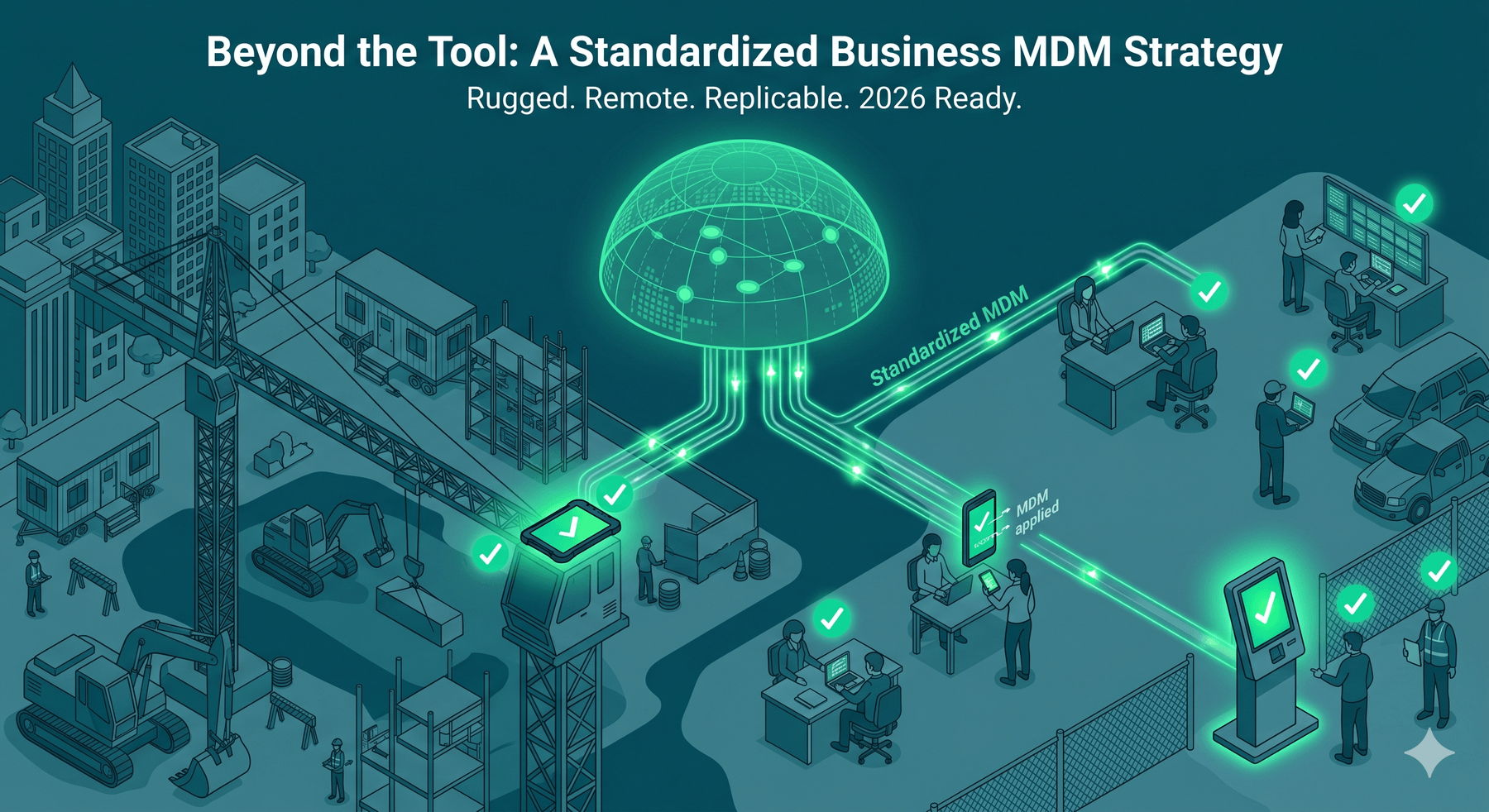
In field environments, an unmanaged device is an unpatchable security hole. Most organizations treat mobile management as a checkbox. Instead, view a Business MDM strategy as an operations system that prevents device chaos. Whether managing construction or staffing teams, standardization means identical enrollment, policies, and support for every user. This framework handles rugged hardware, offline work, and rapid onboarding. Because every policy depends on who owns the device, we start with ownership models.
1. Choosing Your Device Ownership Model: BYOD vs. COPE vs. COBO
MDM failures are usually policy failures disguised as tooling issues. Without defining hardware ownership and digital identity before enrollment, you create legal friction that software cannot fix. Your model determines your control surface, including enrollment strength, remote wipe legality, and support expectations for temporary labor.
- BYOD (Bring Your Own Device): You protect company data within a secure container, not the entire phone.
- COPE (Corporate-Owned, Personally Enabled): The company maintains full device control while allowing limited personal use.
- COBO (Corporate-Owned, Business-Only): Locked-down, single-purpose devices. These are ideal for shared construction crews using rugged tablets.
In field-heavy sectors like staffing or construction, COBO models reduce configuration drift and offboarding risks during high turnover. A strong business MDM strategy requires documented rules for hardware costs, Apple or Google identity ownership, acceptable use, and replacement rules.
If you do nothing else, avoid unmanaged personal Apple IDs on company-owned hardware. Aligning security controls to a realistic ownership model prevents unmanageable fleets and keeps support workflows efficient.
2. Automated Enrollment: Shipping Direct to the Field
Enrollment is the point of no return. If you cannot guarantee a device configures itself correctly on day one, you will never maintain standards across remote crews or rapid hiring cycles. A mature business MDM strategy removes IT from the staging process entirely.
The goal is zero-touch deployment where shrink-wrapped hardware ships directly to the worker. Policies and apps apply at first boot without manual staging. At scale, this requires Apple Business Manager for iOS or Android Enterprise Zero-Touch enrollment.
You must lock three implementation decisions to ensure compliance:
- Use authorized purchasing channels so hardware automatically populates your MDM tenant.
- Define role-based enrollment profiles for field techs, supervisors, and contractors.
- Maintain QR codes or one-time codes as a fallback for edge cases.
This eliminates manual staging bottlenecks for remote staff. A staffing agency, for example, can re-issue hundreds of devices weekly without IT ever opening a box. Every unit starts compliant the moment it powers on.
3. Automating the Device Lifecycle: How to Secure High-Turnover Teams
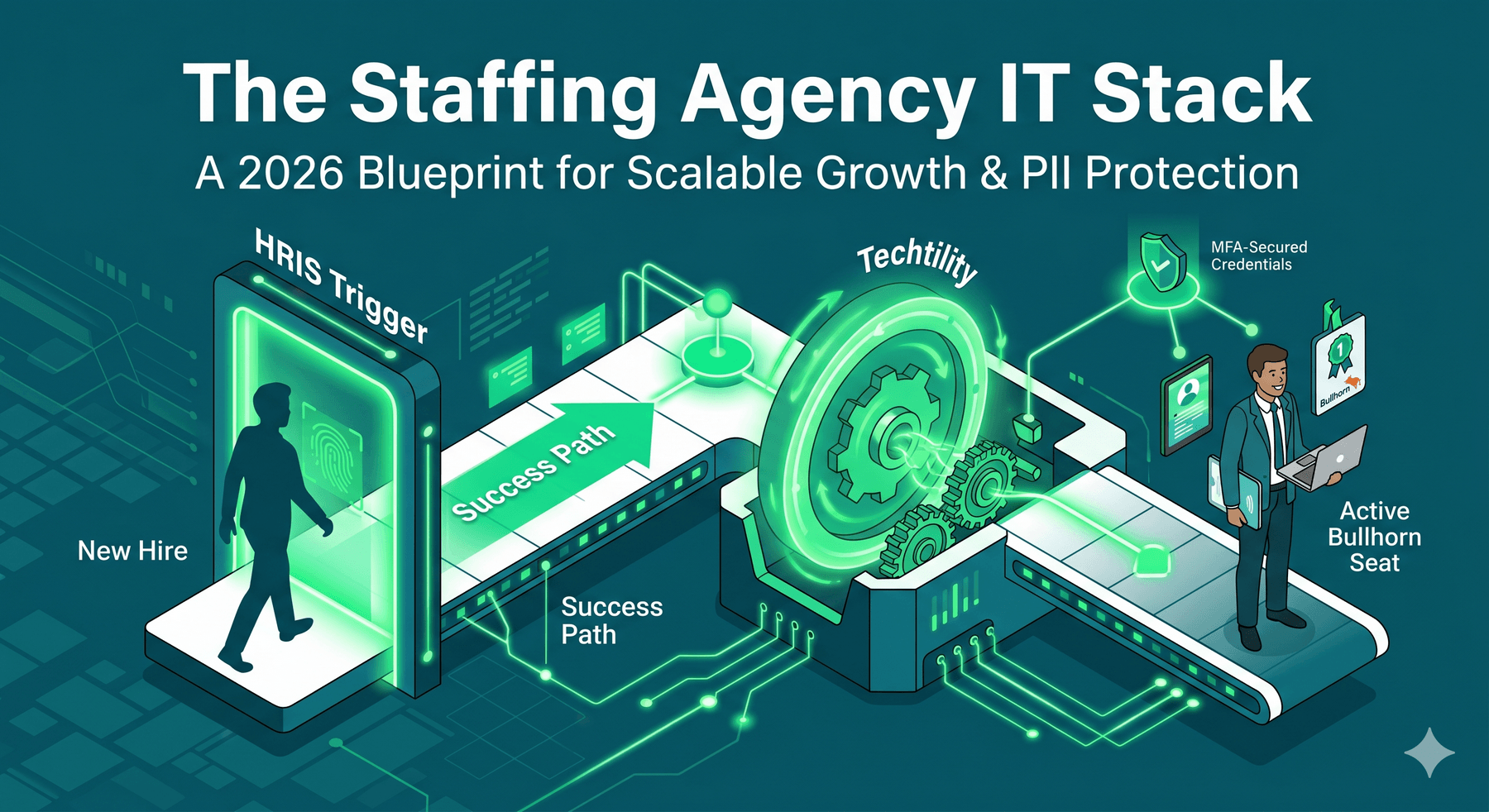
Staffing and field services require speed as much as security. A mature business MDM strategy treats hardware as a continuous loop where device status reflects HR events. This automation prevents sensitive data from walking off-site when a contractor or employee departs.
Track every asset through defined stages:
- Staged and Assigned
- In-field and Returned
- Quarantined, Repaired, and Retired
Offboarding must be a programmed workflow. Termination triggers immediate device locks and credential revocation to stop unauthorized access.
Establish strict policy defaults for rotating crews. Set rules to lock hardware within two hours of separation. Use distinct wipe templates: factory resets for COPE and container-only wipes for BYOD. Prevent personal Apple IDs from creating re-issue dead-ends via supervised enrollment and managed identities.
Route all returns through a quarantine phase for inspection and re-enrollment. This ensures the next user starts with a clean slate. This process enables the fast redeployment essential for high-turnover staffing environments.
4. Designing for Connectivity Gaps: Managing Offline Field Teams
Field teams often operate where connectivity is intermittent. A resilient Business MDM strategy assumes these gaps and maintains security without bricking productivity. Design core workflows to function natively offline, with synchronization occurring only when a stable signal returns.
MDM policies must manage bandwidth proactively to prevent cellular spikes:
- Queue app updates until devices reach approved Wi-Fi or scheduled windows.
- Stagger patch rollouts to avoid overwhelming mobile hotspots.
- Enforce OS baselines without forcing mid-shift restarts.
Align your app strategy with an offline-first approach. Favor applications that offer local caching and robust conflict handling to prevent data overwrites during sync. Explicitly define which datasets are permitted for local storage and set strict encryption and expiration limits.
Use a depot-based update window where devices sync and update automatically when they return nightly. This keeps field crews productive in low-connectivity environments while maintaining patching and policy compliance without disrupting the workday. This model ensures every technician starts their shift with a fully patched device and current project data.
5. Identity-Driven Security: Gating Access via Device Posture
Without identity enforcement, your business MDM strategy is just inventory management. Secure environments require device posture to gate data access. This prevents stolen, unencrypted, or outdated devices from reaching email, files, and managed line-of-business apps. Block access automatically if a device is rooted, jailbroken, or missing a passcode.
Standardize these controls to maintain compliance:
- Enforce MFA for all accounts, particularly for email and cloud storage.
- Use conditional access policies to block non-enrolled or non-compliant devices.
- Separate admin accounts from user accounts to restrict local administrative privileges.
In high-turnover industries, rapid account disablement is as critical as wiping hardware. Avoid shared credentials on crew equipment by using shared-device modes. This protects corporate data when workers rotate out or devices are lost.
Document the specific conditions that trigger an access block, a user warning, or a remote wipe. This ensures your team distinguishes between minor OS update lags and active security breaches.
6. Building a Construction-Specific MDM Baseline
Standard MDM fails at the jobsite because it ignores rugged hardware realities and site-specific safety rules. A robust Business MDM strategy must standardize policies for the jobsite itself, not just the user, to account for unique field constraints. Start by defining your construction device classes:
- Rugged COPE tablets for primary field data
- Supervisor smartphones for project coordination
- Shared kiosk devices for crew check-ins and safety briefings
Use geofencing to automate policy shifts based on GPS coordinates. You can trigger stricter restrictions off-site while enabling whitelisted "work-only" builds and essential project apps on-site. Address camera restrictions for regulated projects by building a clear exception process for required progress photos.
Maximize uptime by adopting a hot-spare inventory model to replace damaged hardware instantly. Integrate battery health and physical condition checks into your weekly compliance audits to catch hardware failures before they stall a project. This construction baseline reduces jobsite data risk and ensures your technology survives the high-stakes environment of every project site.
7. App Standardization and Managed Distribution
Field-heavy organizations often lose consistency at the app layer due to ad hoc installs and version mismatches. Standardization starts with a core app list defined by specific roles like Field Technicians, Foremen, or Staffing Coordinators. For safety and compliance roles, a strict "no alternatives" policy ensures every user operates on the same verified version. This helps prevent app sprawl and keeps sensitive project data inside authorized, visible boundaries.
Managed app configuration removes end-user friction by pre-configuring essential server URLs and sign-in methods before the first launch. This includes:
- Certificates and VPN profiles
- Specific application permissions
- Automated security and compliance policies
For BYOD environments, the Business MDM strategy boundary decision depends on your specific security needs. App-wrapping is faster for rapid deployment, whereas containerization offers superior isolation but requires more testing. Finally, enforce a strict rule: no line-of-business applications can be installed outside managed distribution channels. This role-based approach ensures a consistent field workflow while protecting company data from unmanaged installs.
8. The Field Logistics Model: Staging, Spares, and Retrieval
Field-heavy MDM succeeds in the warehouse and dispatch lane, not on a policy screen. Treat devices like operational equipment: staged, tracked, swapped, and re-issued on a predictable cadence. This turns deployment into a repeatable workflow that reduces IT labor and eliminates "bill shock" from unmanaged hardware replacements. Predictable logistics reduce the operational drag of unmanaged systems.
Staging standards ensure every device ships kitted, tested, and ready with required apps, profiles, and carrier activation. To maintain control, your asset inventory must track:
- Owner and assigned user
- Last check-in and OS version
- Warranty status and repair history
A resilient business MDM strategy requires a hot-swap spares ratio, typically 10% for rugged tablets, so a broken screen never stops a shift. Define clear SOPs for lost or stolen units and provide pre-printed return labels to maintain chain-of-custody for contractor device returns. This logistical discipline prevents downtime surprises and ensures field productivity remains predictable.
9. Measuring Success: The MDM Governance Loop
A strategy isn’t real until you can measure it. Build a lightweight governance loop that produces executive-ready visibility and technician-ready remediation queues. This structure prevents policy drift across construction sites, staffing rotations, and field service teams.
Track these KPIs to monitor fleet health:
- Enrollment and compliance rates
- Patch latency and device downtime
- Time-to-reissue and lost/stolen response times
Every device must meet non-negotiable baselines. These include supported OS versions, mandatory encryption, active lock screens, and enforced MFA. Maintain these standards through a monthly compliance review and a quarterly lifecycle audit to assess battery health and rugged hardware integrity.
Standardize incident playbooks for site theft, terminated employees, malware, and lost assets. If a device fails to meet the baseline, it should lose access to company data immediately rather than just generating a report. Automated enforcement is what actually protects the business from the operational risks of a mobile workforce.
How to Implement Your Business MDM Strategy: A 12-Week Roadmap
This rollout plan moves your organization from device chaos to a standardized fleet. Follow this sequence to lock down governance and reduce enrollment mistakes before your Business MDM strategy scales.
Week 1 to 2: Define Your Operational Baseline
Select an ownership model such as BYOD, COPE, or COBO. Categorize device classes to separate rugged tablets from standard smartphones. Define identity standards so every device maps to a verified corporate user. You will establish a clean operational baseline for the entire fleet.
Week 3 to 4: Build Your Enrollment Foundation
Link Apple Business Manager or Android Enterprise to your MDM tenant. Create role-based profiles for construction crews and staffing cohorts. Develop a dedicated admin identity plan to avoid using personal accounts for critical certificates. You will prevent management lockouts and ensure zero-touch enrollment works.
Week 5 to 6: Conduct a Controlled Pilot
Deploy configurations to a pilot group of 10 to 50 devices. Test offline behavior in low-connectivity zones and verify the offboarding loop with a remote wipe and reissue. You will find and fix configuration errors before they affect the general workforce.
Related reading: Managed IT Services for Birmingham Healthcare
Week 7 to 10: Scale Logistics and Support
Formalize kitting workflows to stage and ship units directly to field sites. Maintain a spares inventory with a 10 percent hot-swap ratio. Implement asset tagging and repair loops to manage hardware lifecycles. You will reduce downtime for employees with damaged or lost devices.
Related reading: IT Support for Birmingham Banks
Week 11 to 12: Maintain Steady State Governance
Build a KPI dashboard to monitor real-time compliance and enrollment rates. Establish a quarterly audit rhythm for security reviews and hardware inspections. Finalize incident playbooks for theft, loss, and termination. You will maintain steady-state governance and fleet security.
Related reading: Managed IT Services for Huntsville Aerospace
Contact Cortavo today to simplify your mobile infrastructure.
Frequently Asked Questions
What is a business MDM strategy?
A business MDM strategy is a standardized system that combines enrollment, security policy, identity management, and lifecycle reporting. It moves beyond basic device tracking to create a predictable framework for security and support. The goal is to ensure every mobile endpoint follows the same rules, which simplifies IT management for remote teams and reduces the risk of unpatched security holes.
What is the difference between MDM for construction and staffing?
Construction MDM focuses on managing rugged hardware, geofencing site controls, and ensuring apps work in offline-first environments. Staffing MDM is built for high-turnover speed, prioritizing automated re-issuing and strict offboarding to revoke access instantly. While both require a central policy, construction solves for environmental hazards while staffing solves for rapid workforce changes.
Who should own the Apple Push Certificate or Apple ID for MDM?
These must be owned by a dedicated, company-controlled administrative identity. Never link critical management credentials to an individual employee’s personal email or Apple ID. Tying these to a specific person creates a massive risk if they leave the company. Use a shared IT service account and document renewal dates to maintain permanent control over your device management tenant.
For BYOD, should we use app-wrapping or containerization?
App-wrapping is usually faster to deploy because it adds security layers to specific apps. Containerization offers a deeper and more secure separation between personal and professional data by creating a dedicated workspace on the device. For long-term security and user privacy, containerization is often the preferred choice. Always pilot both methods on real devices before a full rollout.
Where should we start if our current fleet is chaotic?
Begin with enrollment and identity gating. You cannot manage what you do not own, so bringing all devices into a central tenant with clear identity controls is the first priority. Next, automate the offboarding and lifecycle workflows to prevent data leaks during turnover. Once the foundation is secure, move toward app standardization.

.png) Team Cortavo
Team Cortavo
.png?width=30&name=MKT%20Email%20Marketing%20300x300px%20(18).png) Team Cortavo : Jun 2, 2026, 1:58:49 PM
Team Cortavo : Jun 2, 2026, 1:58:49 PM
.png)